---
layout: page_v2
title: Prebid Mobile Rendering Modules
description: Prebid Mobile Rendering Modules architecture
sidebarType: 3
---
# AppLovin MAX Setup
This document outlines how to set up [Applovin MAX](https://developers.applovin.com/en) for Prebid Mobile. See the appropriate integration method ([iOS](/prebid-mobile/modules/rendering/ios-sdk-integration-max.html#rendering-and-tracking)/[Android](/prebid-mobile/modules/rendering/android-sdk-integration-max.html#rendering-and-tracking)) document for information about rendering and tracking.
## Custom Network Setup
In your MAX account go to `Mediation` -> `Manage` -> `Networks` and click `Click here to add a Custom Network`. Then create an **SDK** custom network with the following adapter names:
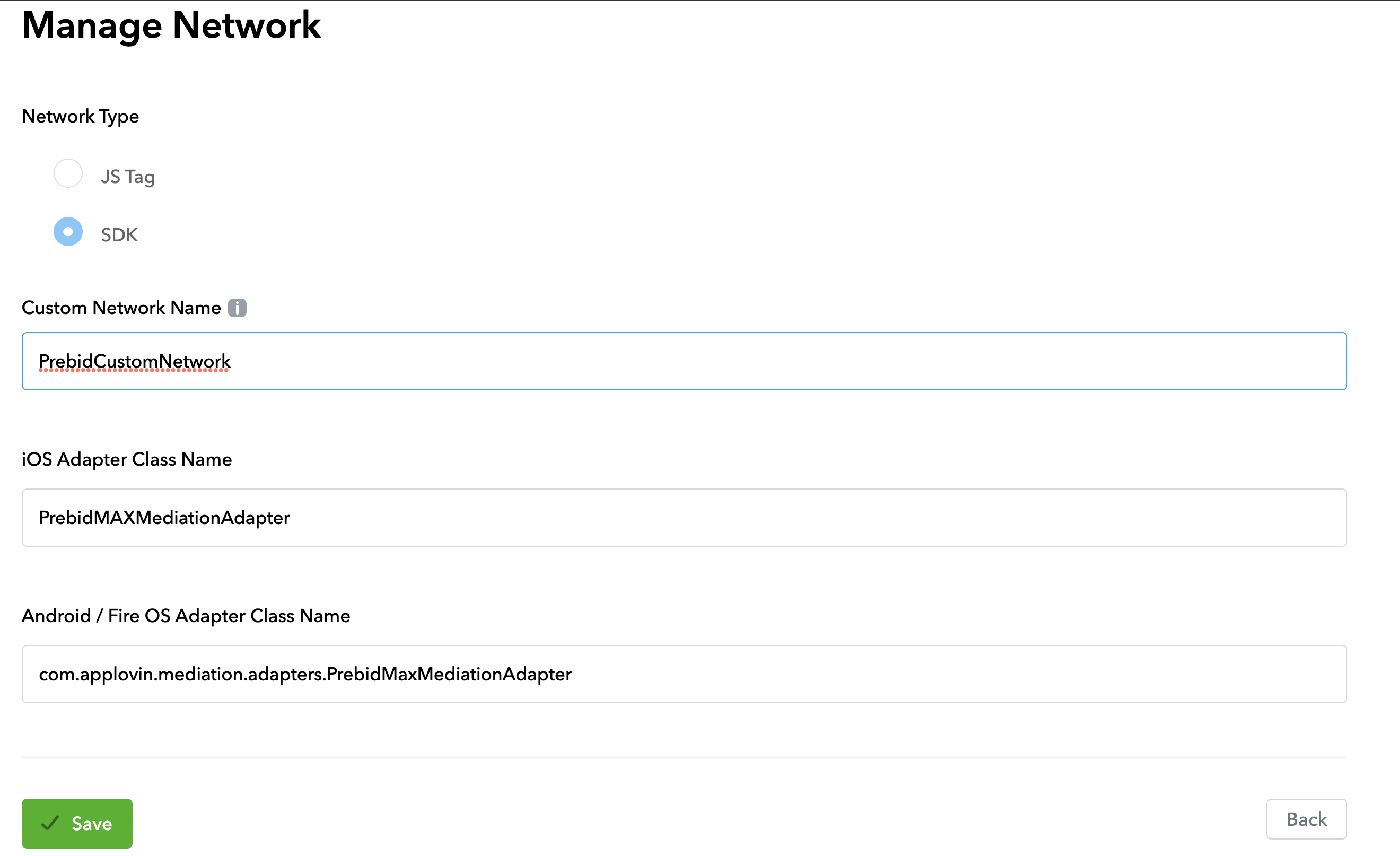 iOS adapter:
```noformat
PrebidMAXMediationAdapter
```
Android Adapter:
```noformat
com.applovin.mediation.adapters.PrebidMaxMediationAdapter
```
## Add Placements
Now you have to add placements for Prebid Custom Network into the respective ad unit's waterfall.
Create or choose an existing Ad Unit. Go the the `Custom Networks & Deals` section. Chose the Prebid's custom network that you created at the previous step. Change the status to active and add placements following the [price granularity](/adops/price-granularity.html) guide to determine how many entries you need.
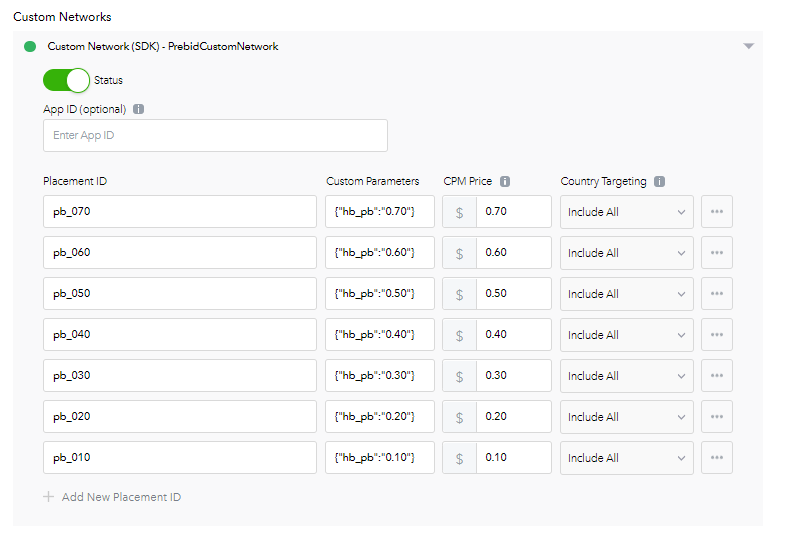 Make sure that the `Custom Parameters` field contains the expected targeting keywords of the winning bid:
```json
{"hb_pb":"0.10"}
```
{: .alert.alert-warning :}
The adapter will render the winning bid only if the bid's targeting keywords contain `all` keywords from the `Custom Parameters` field.
## Further Reading
- [Prebid Mobile Overview](/prebid-mobile/prebid-mobile)
- Prebid Mobile Applovin Integration Method for [iOS](/prebid-mobile/modules/rendering/ios-sdk-integration-max.html), [Android](/prebid-mobile/modules/rendering/android-sdk-integration-max.html)